> For the complete documentation index, see [llms.txt](https://helpcenter.gitprotect.io/llms.txt). Markdown versions of documentation pages are available by appending `.md` to page URLs; this page is available as [Markdown](https://helpcenter.gitprotect.io/management/user-accounts/account-management.md).
# Account management
Learn the basics of account management in GitProtect.
## Creating a new account
{% stepper %}
{% step %}
Login to your **GitProtect Management Service** panel, go to the ⚙ **Settings** tab, then select **Accounts**.
{% endstep %}
{% step %}
Click the **Add new** button at the bottom of the section.
{% endstep %}
{% step %}
Enter username and password for your new account.
{% hint style="warning" %}
Your username **must be** an e-mail address.
{% endhint %}
{% hint style="success" %}
You can use your **GitHub**, **GitLab**, **Bitbucket**, **Google**, or **Microsoft Azure AD** email address to log in to **GitProtect** via SSO—just make sure that the email address in **GitProtect** matches the one used in your service provider.
{% endhint %}
{% hint style="warning" %}
Remember that when setting up a password, you must meet the password criteria displayed in the form.
{% endhint %}
{% endstep %}
{% step %}
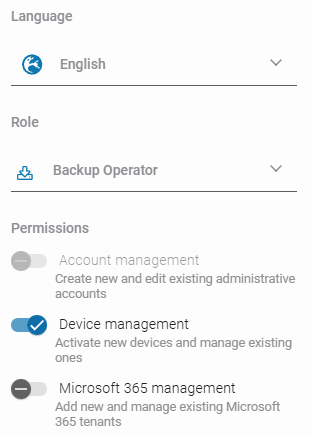
Next, set the default language for the new account, and assign its role and permissions.
{% hint style="success" %}
See all details about available roles and permissions in [this article](/management/user-accounts/roles-and-permissions.md).
{% endhint %}
{% endstep %}
{% step %}
Review your account configuration and click **Save**.
{% endstep %}
{% endstepper %}
***
## Editing an existing account
{% stepper %}
{% step %}
Login to your **GitProtect Management Service** panel, go to the ⚙ **Settings** tab, then select **Accounts**.
{% endstep %}
{% step %}
Choose an account you want to edit and click the **edit** button.
{% endstep %}
{% step %}
In **Edit admin account** panel you can change your account password, default language, role, and permissions.
{% hint style="warning" %}
It is **not possible** to change the account username (email address).
{% endhint %}
{% endstep %}
{% step %}
Review your changes and click **Save** to finish editing the account.
{% endstep %}
{% endstepper %}
***
## Deleting an account
{% stepper %}
{% step %}
Login to your **GitProtect Management Service** panel, go to the ⚙ **Settings** tab, then select **Accounts**.
{% endstep %}
{% step %}
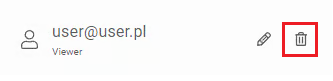
Choose an account you want to delete and click the **recycle bin** button.
{% endstep %}
{% step %}
The system will ask you to confirm the operation. If you are sure you want to remove the selected account, click the **Remove** button.
{% endstep %}
{% endstepper %}
.png?alt=media)


 button.

 button.