# Handling errors in GitProtect

## Determining whether a task has failed

**GitProtect** notifies you if a backup task fails. By default, e-mail notifications are enabled, but you can also configure notifications via **Slack** or any webhook. Notifications can be set up in the **Settings** tab.

When you open the relevant tab **GitProtect** will indicate if any tasks have ended with errors or warnings.

In the following example, the task for the **DebianDatabase** device ended with an error — it's visible instantly upon opening the relevant tab.

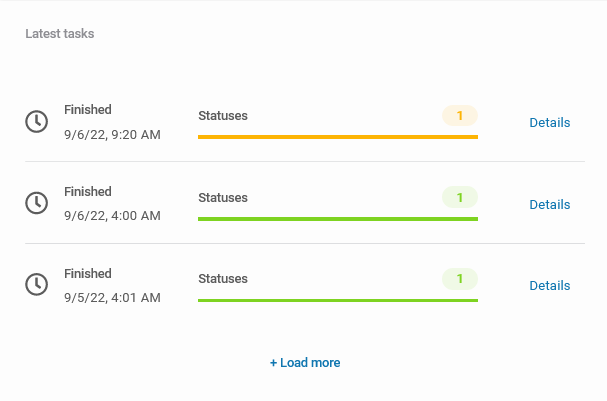
Additionally, you can view statistics for the entire backup plan, not just a single device. To do this, open the **Plans** tab and click the **statistics** <img src="/files/vkWEnvxNIaBEg5qbZrt4" alt="" data-size="original"> button on the right side of the window. In the **Latest tasks** section, you can see the most recent task executions.

<figure><img src="/files/ctldDULzOpl8S3rBKHuG" alt=""><figcaption><p><em><strong>Latest tasks</strong> section in the backup plan statistics panel.</em></p></figcaption></figure>

***

## Handling errors via Tasks tab <a href="#tasks_tab" id="tasks_tab"></a>

In general, the easiest way to handle an error in **GitProtect** is via **Tasks** tab:

{% stepper %}
{% step %}
Open the **Tasks** tab, then go to **latest tasks**.
{% endstep %}

{% step %}
Locate the task of interest (one that ended with failures or warnings) and click the **expand** <img src="/files/pI5lnVxeOPO1SBxW5f9Q" alt="" data-size="line"> button on the right side of the window.

<figure><img src="/files/ypfXf1TdmkZr4HtzxnUU" alt=""><figcaption></figcaption></figure>
{% endstep %}

{% step %}
Click the info <img src="/files/vkWEnvxNIaBEg5qbZrt4" alt="" data-size="original"> icon to open the **device details** for more information.

<figure><img src="/files/bYiSpQncAcPCGJh8mt3V" alt=""><figcaption></figcaption></figure>
{% endstep %}

{% step %}
All errors and warnings can be found in the **STATUS DETAILS** section. To view more information, expand the tab — in this specific case, the task failed because the device has no connectivity with the **Management Service**.

<figure><img src="/files/2aurH80Z5SuWLpGIIm8b" alt=""><figcaption></figcaption></figure>
{% endstep %}
{% endstepper %}

***

## Handling errors via Logs tab <a href="#logs_tab" id="logs_tab"></a>

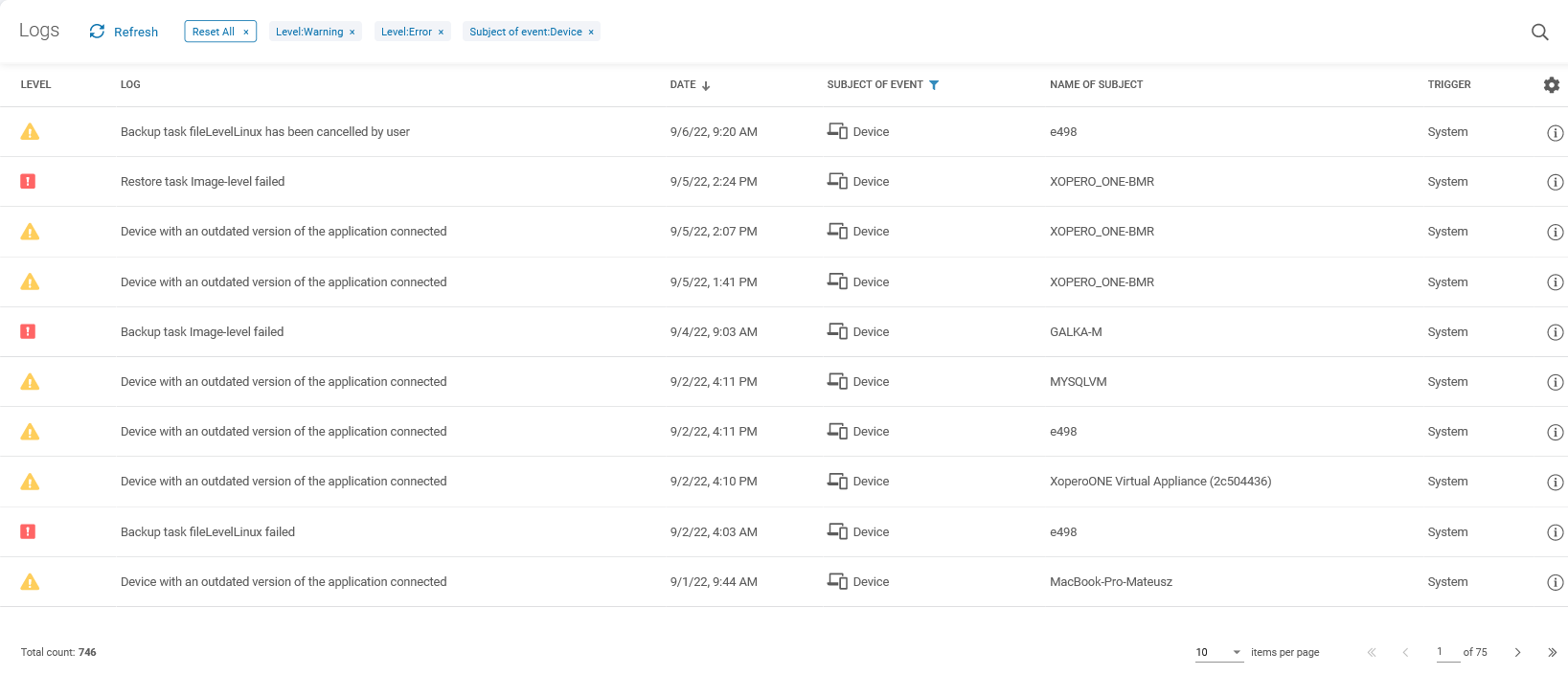
All errors and warnings are also displayed in the **Logs** tab — here you can view both statistics and logs for all devices connected to your **Management Service**.

{% hint style="info" %}
The **Logs** tab provides more information than just backup plan errors and warnings. To view the logs you are interested in, use the **search** feature located in the top-right corner of the window.
{% endhint %}

<figure><img src="/files/LGQnsuibetlqTNIQqVhf" alt=""><figcaption></figcaption></figure>

***

## Useful links and items

{% content-ref url="/pages/U6aU12lSmEsFJBph773K" %}
[Tasks](/management/tasks.md)
{% endcontent-ref %}

{% content-ref url="/pages/wIaZhfHSuZKzR2vHfDeg" %}
[Log files](/management/log-files.md)
{% endcontent-ref %}


---

# Agent Instructions: Querying This Documentation

If you need additional information that is not directly available in this page, you can query the documentation dynamically by asking a question.

Perform an HTTP GET request on the current page URL with the `ask` query parameter:

```
GET https://helpcenter.gitprotect.io/troubleshooting/handling-errors-in-gitprotect.md?ask=<question>
```

The question should be specific, self-contained, and written in natural language.
The response will contain a direct answer to the question and relevant excerpts and sources from the documentation.

Use this mechanism when the answer is not explicitly present in the current page, you need clarification or additional context, or you want to retrieve related documentation sections.